Monday, 3 February 2020

Nervana Nevermore: Intel Shifts Focus to Habana Labs, Cancels NNP-T, NNP-I

Intel’s decision to buy startup Habana Labs in December for $2B set tongues to wagging about what it might mean for Nervana, the previous AI startup Intel acquired in 2016. Roughly a month later, the other shoe has dropped: Intel has announced it will cancel the NNP-T and NNP-I products it had previously planned to ship by the end of 2019 and pivot instead to focus on Habana.

There’s been little chatter about why this happened, but Karl Freund of Moor Insights and Strategy caught wind of the news. According to him, Intel will support the NNP-I for “previously committed customers,” but will cease all development on the NNP-T AI training design.

The NNP-T was designed at TSMC and intended for that company’s 16nm FinFET process and fit into 150-250W power envelopes. The NNP-I, which will apparently be supported to some small degree, is a 10-50W part that paired two Ice Lake CPU cores with 12 inference compute engines (ICE).

The thinking here is that Nervana’s hardware must not have been particularly performance competitive with what Intel’s competitors have or are bringing to market. Intel has an array of products targeting various AI, deep learning, and compute markets with Mobileye, Movidius, its upcoming Xe architecture, and its FPGA business. Habana Labs has been shipping its Goya Inference Processor since Q4 2018 and the Gaudi AI Training Processor sampled “to select customers” in the second half of 2019. Intel’s decision to essentially shut down further work on Nervana’s architecture would appear to speak for itself.

This is the second AI/machine learning effort Intel has shut down, after Xeon Phi, but I’m not sure how much I’d read into that. Xeon Phi was an effort to create a new x86-based product that could compete with GPUs in double-precision workloads. Intel’s 10nm issues prevented the company from pushing Xeon Phi to lower nodes, but the roots of the architecture date back to Intel’s failed Larrabee GPU experiment, not any kind of determined effort to build an AI/ML processor.

Canceling Nervana’s products undoubtedly hit those product teams hard, but we’re still very early in the AI game, and a lot of companies are currently working on first-gen accelerators. The fact that Goya was in-market and Gaudi was sampling before Intel bought the company provides some assurance that the CPU manufacturer won’t have to spend a huge amount of time bringing an initial part to market.

AI and machine learning have been pretty Nvidia and Intel-centric up until now, and that trend seems likely to continue for the near-term future. AMD’s presence in these markets — and its ability to compete effectively via translation projects like ROCm, compared to native support for Nvidia CUDA — have both been modest in comparison to its largest rivals.

To be fair to AMD, that’s not an accident. When analysts have asked whether AMD would be explicitly targeting the emerging AI/ML space, AMD’s executives have generally said that they would do so in a limited way and with specific products when it made sense to do so. AMD isn’t making any effort to target CPUs like the Epyc 7742 for AI workloads the way Intel focused on adding AVX-512 support to Xeon.

2020 will be a significant year for the AI/ML market. The first consumer iteration of Intel’s GPU will hit markets this year. While these will obviously be intended for mainstream systems, you can bet analysts will have an eye towards any data center-friendly features or capabilities that might make an early appearance. Nvidia’s next-generation 7nm GPUs are expected to drop this year, as is AMD’s Navi 20. It’s not crazy to think Navi 20 could tip up in new server, workstation, or data center GPUs from AMD as well this year.

In short, pivoting towards Habana and away from Nervana doesn’t necessarily mean Intel is falling behind — not so long as Habana’s performance and roadmap are better aligned with Intel’s customers than what it was fielding previously.

Now Read:


Intel Core i9-10900K Appears in 3DMark Database With 5.1GHz Boost Clock

It looks as though the rumors about Intel’s upcoming Comet Lake desktop packing 10 cores and top frequencies above 5GHz that we reported on last August are true, at least at the very top of the stack. The Core i9-10900K has appeared in the 3DMark database with 10 cores, 20 threads, and a top Turbo Boost clock of 5.1GHz. All-core boost has been rumored to be as high as 4.9GHz, though that hasn’t been confirmed.

If the CPU supports Intel Turbo Boost 3.0 and Thermal Velocity Boost, it could actually burst into the 5.2-5.3GHz range under certain circumstances. Comet Lake desktop CPUsSEEAMAZON_ET_135 See Amazon ET commerce will require a new motherboard socket, LGA 1200, though previous coolers from the LGA 115x family will supposedly be forwards-compatible.

That “supposedly” might need a bit more of an asterisk than it did in years past. While the official TDP on Comet Lake is only increasing moderately — from 95W on the 9900K to 125W on the 10900K — the CPU’s actual power draw under full load may be more like 300W. The high power consumption and difficulty smoothing the CPU’s power spikes could potentially cause the CPU’s introduction to be delayed according to reporting earlier this month. Most enthusiasts should be fine, but small/quiet cooler enthusiasts may want to watch for actual power draws and temps on specific CPUs before assuming previous coolers will automatically be compatible.

Early rumors make it sound as if the Core i9-10900K has a bit in common with AMD’s Piledriver-based FX-9590. Knowing it would be years before it could launch Ryzen, AMD made the best it could of a tough competitive situation, threw previous desktop TDP targets to the wind, and launched a 250W CPU. Bringing the clock up compared to the FX-8350 may have blown power consumption through the roof, but it also helped Piledriver hang a bit better against Intel at the time.

Intel’s Comet Lake architecture is better than Piledriver ever dreamt of being, but we may be seeing Intel confront a similar problem. The company has wrung a great deal of performance out of its 14nm node from 2015 – 2020, but there’s not much improvement left to find. The solution? Crank up the power and take the CPU as far as it can go under the relaxed restrictions.

Running the Core i9-10900K at its full potential will probably take a cooler capable of dissipating 200-300W. Such coolers exist, in both the traditional air-cooled and the closed-loop liquid cooler market.

Between clock and core count we’d expect the Core i9-10900K to beat AMD’s 8-core CPUs and tangle things up with the 12-core 3900X. Desktop customers tend to care at least a little about power consumption, but they’re much less sensitive to it as an issue than your typical laptop customer, for obvious reasons.

Now Read:


Astronomers Spot Star That Drags the Universe Along With It

General relativity makes numerous predictions about gravity, time, and the very nature of the universe. So far, all the predictions we’ve been able to test have held up to scrutiny, but the effects are usually subtle and difficult to visualize. Astronomers have spotted a distant star that further confirms general relativity in a more obvious fashion — it’s dragging space-time along with it. 

Einstein’s general theory of relativity predicts that massive objects can tug at the fabric of the universe as they move through space, which is called “frame-dragging.” Scientists collected the first experimental evidence of frame-dragging almost 20 years ago, but the effect is minuscule. For example, the Gravity Probe B satellite used gyroscopes to measure tiny angular changes caused by Earth’s frame-dragging. The effect worked out to just one degree every 100,000 years. The effects on a star system called PSR J1141-6545 are much more noticeable, even from 10,000 light-years away. 

Researchers from the OzGrav ARC Centre of Excellence at Swinburne University of Technology discovered PSR J1141-6545 almost 20 years ago. The system consists of a pulsar (a rotating neutron star) orbiting a white dwarf. A white dwarf is the collapsed core of a dead star that was too small to form a black hole or neutron star. This one is about the same size as Earth but thousands of times more massive, and that means the effect of frame-dragging should be much more intense. The pulsar orbits the white dwarf every five hours, and the radar wave beams of the pulsar sweep past Earth. This combination of factors makes PSR J1141-6545 an ideal real-world laboratory in which to study frame-dragging. 

The team has gone back multiple times over the years to observe PSR J1141-6545. Because the radio beams from the pulsar sweep Earth 150 times per minute, scientists can accurately track the system’s orbit. Not only is the pulsar racing around the white dwarf, but the effects of frame-dragging cause the pulsar’s orbit to tumble in space. This twisted region of space-time can only be explained by frame-dragging. 

Einstein noted that many of the predictions in general relativity would never be directly observable, but even he couldn’t foresee the incredible advances in astrophysics. We can detect gravitational waves from millions of light-years away, take pictures of black holes, and even watch as a star twists space-time in knots.

Now read:


Saturday, 1 February 2020

Researchers Coax Levitating Glass Bead Into the Quantum World

Studying the quantum state of the universe is a challenging endeavor in part because objects only have detectable quantum properties on the smallest of scales. The larger something is, the harder it is to get it into a well-defined quantum state unobscured by environmental effects. A team of US-Austrian researchers has developed a new technique that could make quantum mechanics easier to study thanks to a floating silica bead. 

The basic problem when studying quantum states is that larger objects have more interaction with the environment, and that masks quantum properties. Pushing matter into a quantum state usually requires complex resonators that control atoms with specific wavelengths of light. These systems only work at extremely low temperatures verging on absolute zero, which prevents outside energy from affecting the particles. With the right controls, scientists can coax clouds of atoms to form exotic materials like Bose-Einstein condensates. 

It is therefore rather remarkable that the team from MIT, the University of Vienna, and the Austrian Academy of Sciences managed to coax a solid object into the quantum regime. The researchers placed a small silica bead about 200 nanometers across in a vacuum chamber and then used a laser (sometimes called optical tweezers) to suspend it in the air. With gas, laser cooling via atomic transition is a well-understood method of removing energy to get atoms into a quantum ground state. With the solid levitating bead, the team had to use a new experimental method called cavity cooling by coherent scattering.

With millions of atoms packed together, the silica bead is observationally free of quantum properties under normal conditions. The cavity cooling method relies on a test chamber with dimensions similar to a specific wavelength of light. That limits the wavelengths that can exist within the chamber.

Over time, the bead loses energy to environmental photons, which have more energy than the optical tweezers inside the cavity. Eventually, the bead stops vibrating, and the center reaches around 0.00001 degrees Celsius away from absolute zero, allowing it to develop observable quantum properties. At this point, the surface of the bead is actually quite hot at roughly 572 degrees Fahrenheit (300 degrees Celsius), and the rest of the experiment is room temperature. 

The team says this setup allows the glass bead to enter a quantum ground state 70 percent of the time. It may be possible to reach even higher success rates with improved vacuum hardware. They also discuss cooling the hardware to improve efficacy. Further study of solid quantum state objects could yield fascinating results, but we’re just at the dawn of this new era.

Now read:


Friday, 31 January 2020

We’re Finally Talking About What Apple’s Jony Ive Got Wrong

For the past few years, talking about the flaws of Apple product design has felt like spitting into a hurricane. After all, Apple remains fantastically successful. Its products are in high demand in both the PC and mobile spaces. It virtually owns the high-end tablet market and has created a growing services business.

At the same time, since the death of Steve Jobs, Apple has misfired on a significant number of products. No company is immune to product defects or duds. But I’d argue that the post-Jobs era has been unique for the types of failures we’ve seen — specifically, failures of design that were entirely self-inflicted. Now that Jony Ive has left Apple, we’ve seen some indication that these trends may be corrected, and a newfound willingness to discuss the negative impact Ive may have had on Apple’s product designs over the last few years.

The iPhone 6 Plus was the first sign of a serious problem at Apple. The company has never been afraid to criticize its own users — “You’re holding it wrong” is the archetype example here — but the iPhone 6 and especially the 6 Plus didn’t just have a poor antenna arrangement. They were compromised by Apple’s decision to remove a piece of metal intended to strengthen the phone against bending. This was an issue on both devices, but it hit the 6 Plus much worse.

Court documents would later show that Apple knew the iPhone 6 and 6 Plus were much weaker than previous devices before it even shipped the hardware. That didn’t stop Apple from declaring that it would no longer sample websites that correctly identified the problem and criticized the design. Computerbild.de was punished for telling the truth Apple found inconvenient to hear. The iPhone 6 was 3.3x more likely to bend than the iPhone 5s. The iPhone 6 Plus was 7.2x more likely.

Next up — the Apple Ashcan. This advertisement from Boxx sums up the problems with the system more quickly than I can:

The only reason the Mac Pro’s form factor and overall design weren’t instantly slagged was that analysts and journalists both assumed Apple’s own software and hardware development priorities were reflected in its hardware choices. When Apple announced it would offer custom dual AMD GPUs and tie virtually all expansion to Thunderbolt, the expectation was that the company would be shifting resources to prioritize GPGPU computing and OpenCL. Apple did develop Metal and its own mobile GPU, but it didn’t pour money into building an ecosystem around AMD GPUs and their compute capabilities. The Mac Pro launched and sat, unrefreshed, until Apple replaced it last year.

One tidbit that’s emerged since Ive left Apple is that the Apple Watch Edition — a $10,000 wearable with a 2-3 year lifespan — was his own pet project. I genuinely have no idea why.

Apple’s laptop products had problems of their own. Apple is far from the first company to introduce a first-generation product with a flaw that only became apparent later. What sets Apple’s keyboard woes apart from most of these other situations is that the company proved incapable of fixing the problem. After three subsequent generations of butterfly keyboards, Apple has re-adopted the scissor design it used in 2015.

Furthermore, both the screens and the keyboards of these laptops shared a common flaw: Repairing even simple damage required extremely expensive hardware replacement. Apple later acknowledged and created a program to fix its keyboards for free, but both issues were examples of how the company’s relentless pursuit of thinness and integration had resulted in an inferior user experience.

That’s the common thread that connects these issues and separates them from some of the other controversial decisions Apple has made. In the early part of the decade, Apple was lauded for the way its minimalism made devices easier to use. From 2013 forward, its minimalistic designs began to limit or harm what users could do with its hardware.

It’s not clear what direct role Ive played in all this. At some points, like with the Apple Watch Edition, he was directly engaged. Other reports have indicated Ive was pretty checked out — skipping meetings or giving perfunctory feedback. It’s possible that the problems Apple ran into were the result of other engineers implementing bad directions or simply taking their own shots at how they thought Apple should evolve. But one way or another, Ive was in charge of product design at Apple, and the products the company has shipped the last few years have often had real problems.

Over at ZDNet, Robin Harris is asking if Jony Ive actually chose to leave Apple, or if he was cordially shown the door. It’s a fair question, given how things have evolved since his departure. Both the iPhone and the MacBook Pro have gotten a tiny bit thicker and are the better for it.

I’m not under any illusion that Apple is going to start building systems designed to cater to buyers like myself. Apple products are an acquired taste, and you either want to be part of the ecosystem or you don’t. I’d genuinely like to believe that Apple’s poor decision-making and outright consumer deception were driven by a designer who focused on the wrong aspects of hardware design rather than seeing these decisions as part of Apple’s strategy to drive up revenue from services like AppleCare.

The proof will be in how Apple’s products continue to evolve.

Now Read:


ET Weekend Deals: Black Friday Pricing on Roomba 675, Up to $100 Off 10.2-Inch iPad, XPS 13 Starting at $849

iRobot’s Roomba 675 is one of the best selling robot vacs on the market. It offers powerful suction and an easy-to-use smartphone interface. Best of all, you can get it now for $199, which matches the excellent price we saw on this vacuum on Black Friday.

iRobot Roomba 675 Wi-Fi Robot Vacuum w/ Alexa Support ($199.00)

The Roomba 675 offers solid performance at a price that won’t break the bank. It utilizes a three-stage cleaning system to thoroughly clean your floors as it navigates your home. It also has a battery that can last up to 90 minutes, after which the robot returns to its charging station automatically. You can get one now from Amazon marked down from $299.99 to $199.00.

Apple iPad 2019 10.2-Inch 128GB ($329.99)

The new 2019 iPad features the company’s A10 processor that first debuted in the iPhone 7 at the end of 2016. Although that makes this tablet’s hardware a few years old, you get get the performance of this former flagship with a large high-def screen and with 128GB of storage space. Right now you can get one from Amazon marked down from $429.00 to $329.99.

Dell XPS 13 9380 Intel Core i5-8265U 13.3-Inch 4K Touchscreen Laptop w/ 8GB LPDDR3 RAM and 256GB M.2 NVMe SSD ($849.99)

This premium, midrange, metal-clad notebook features an Intel Core i5-8265U quad-core processor and a 4K touchscreen display. According to Dell, this system also has excellent battery life and can last for up to 21 hours on a single charge. Right now you can get it from Dell marked down from $1,568.99 to $849.99 with promo code LTXPS133AFF.

Featured Deals

  • iRobot Roomba 675 WiFi Robot Vacuum for $199 at Amazon (list price $299.99)
  • iRobot Roomba 960 WiFi Robot Vacuum for $394 at Amazon (list price $649)
  • iRobot Roomba i7+ 7550 WiFi Robot Vacuum with Automatic Dust Bin for $799 at Amazon (list price $999.99)
  • Dell XPS 13 9380 Intel Core i5-8265U Quad-core 13.3″ 4K Touch Laptop for $849.99 at Dell (use code: LTXPS133AFF – list price $1568.99)
  • Dell XPS 13 9380 Intel Core i7-8565U Quad-core 13.3″ 1080p Laptop for $799.99 at Dell (use code: LTXPS134AFF – list price $1299.99)
  • Alienware m15 Intel Core i7-9750H 6-core 15.6″ 1080p 144Hz Gaming Laptop with GTX 1660Ti, 16GB RAM, 512GB SSD for $1149.99 at Dell (list price $1749.99)
  • Apple iPad 10.2″ 128GB WiFi Tablet for $329.99 (32GB for $250) at Amazon (list price $429)
  • Microsoft Surface Book Intel Core i7-6600U 13.5″ 3000×2000 Touch 2-in-1 Win10 Pro Laptop with 16GB RAM, 512GB SSD (Refurb) for $729.99 at PCMag Shop (list price $1499.99)
  • Roku Premiere 4K HDR Streaming Media Player for $29 at Walmart (list price $39.99)
  • Dell Vostro 3000 Intel Core i5-9400 6-core Win10 Pro Desktop for $529 at Dell (list price $927.14)
  • Dell Precision 3431 SFF Workstation Intel Core i5-9400 6-core Win10 Pro Desktop for $719 at Dell (list price $1159.34)
  • Motile Performance Laptop AMD Ryzen 3 14″ 1080p Laptop for $199 at Walmart (list price $599)
  • EVOO Ultra-thin Laptop Intel Dual-Core 11.6″ 1080p THX Tuned Display Laptop with 1-Year Office 365 for $79 at Walmart (list price $199)
  • Onn ONN20ML270H 27″ 1080p LED Monitor for $79.99 at Walmart (list price $149.99)
  • LG SL10YG 570W 5.1.2ch Soundbar with Wireless Subwoofer for $699.99 at PCMag Shop (list price $1299.99)
  • Echo Buds Wireless Bluetooth 5.0 Earbuds with Bose Active Noise Reduction for $89.99 at Amazon (list price $129.99)
  • Seagate FireCuda Gaming 2TB 2.5″ SATA Solid State Hybrid Drive for $59.99 at Amazon (list price $94.99)
  • Seagate Expansion 2TB USB 3.0 Portable External Hard Drive for $54.99 at Amazon (list price $69.99)
  • Netgear Nighthawk AX4 AX3000 4-Stream 802.11ax WiFi 6 Router for $99 at Walmart (list price $199)
  • Today Only: Netgear CM500 DOCSIS 3.0 Cable Modem for $44.48 at Amazon (list price $62.99)

Check out more deals from TechBargains.

Apple Devices

More Apple Deals here.

Smart Home Devices

  • iRobot Roomba 675 WiFi Robot Vacuum for $199 at Amazon (list price $299.99)
  • iRobot Roomba 960 WiFi Robot Vacuum for $394 at Amazon (list price $649)
  • iRobot Roomba i7+ 7550 WiFi Robot Vacuum with Automatic Dust Bin for $799 at Amazon (list price $999.99)
  • iRobot Roomba 671 WiFi Robot Vacuum for $197 at Amazon (list price $232.28)
  • iRobot Roomba E5 (5150) WiFi Robot Vacuum for $279 at Amazon (list price $379.99)
  • Blink XT2 Outdoor/Indoor Smart Security Camera 2-Camera Kit for $139.99 (3-Cameras $200) at Amazon (list price $179.99)
  • eufy RoboVac 11S Slim BoostIQ 1300Pa Robot Vacuum for $152.99 at Amazon (Clip 10% Coupon – list price $229.99)
  • Today Only: TP-Link Kasa Spot 1080p Indoor Smart WiFi Security Camera (3-Pack) for $89.99 at Amazon (list price $119.99)
  • Yi Home Camera 3 1080p Wireless Security IP Camera (2-Pack) for $44.69 at Amazon (list price $79.99)
  • Today Only: TP-Link HS200P3 Kasa Smart WiFi Light Switch (3-Pack) for $54.99 at Amazon (list price $84.99)
  • Today Only: TP-Link LB110 Kasa Smart WiFi LED Bulb for $11.99 at Amazon (list price $24.9)
  • August Smart Keypad for $45 at Walmart (list price $79.99)

More Smart Home Deals here.

Laptops

  • Dell XPS 13 9380 Intel Core i5-8265U Quad-core 13.3″ 4K Touch Laptop for $849.99 at Dell (use code: LTXPS133AFF – list price $1568.99)
  • Dell XPS 13 9380 Intel Core i7-8565U Quad-core 13.3″ 1080p Laptop for $799.99 at Dell (use code: LTXPS134AFF – list price $1299.99)
  • Alienware m15 Intel Core i7-9750H 6-core 15.6″ 1080p 144Hz Gaming Laptop with GTX 1660Ti, 16GB RAM, 512GB SSD for $1149.99 at Dell (list price $1749.99)
  • Microsoft Surface Book Intel Core i7-6600U 13.5″ 3000×2000 Touch 2-in-1 Win10 Pro Laptop with 16GB RAM, 512GB SSD (Refurb) for $729.99 at PCMag Shop (list price $1499.99)
  • Motile Performance Laptop AMD Ryzen 3 14″ 1080p Laptop for $199 at Walmart (list price $599)
  • EVOO Ultra-thin Laptop Intel Dual-Core 11.6″ 1080p THX Tuned Display Laptop with 1-Year Office 365 for $79 at Walmart (list price $199)
  • EVOO Tablet Intel Dual-Core 32GB 10.1″ Win10 Tablet with Keyboard, Stylus, 1yr Office 365 for $79.99 at Walmart (list price $249.99)
  • Dell New Inspiron 15 5000 Intel Core i7-1065G7 Quad-core 15.6″ 1080p Laptop with 512GB SSD for $659.99 at Dell (list price $828.99)
  • Dell Latitude 7390 Intel Core i5-8350U Quad-core 13.3″ 1080p Win10 Pro Laptop for $759 at Dell (use code: BIZLT759 – list price $2412.85)
  • Lenovo Ideapad 330s AMD Ryzen 5 2500U Quad-core 15.6″ Laptop for $359 at Walmart (list price $499)
  • Lenovo Ideapad S340 Intel Core i3-8145U Dual-Core 15.6″ Laptop for $329 at Walmart (list price $449)
  • Acer Aspire 5 Intel Core i7-8565U Quad-core 14″ 1080p Laptop with 512GB SSD for $529 at Walmart (list price $625)
  • HP 14 Intel Core i3-1005G1 Dual-Core 14″ Laptop for $269 at Walmart (list price $469)
  • Dell Vostro 15 3590 Intel 10th-Gen Core i7-10510U Quad-core 15.6″ 1080p Win10 Pro Laptop for $659 at Dell (list price $1212.86)
  • Dell Vostro 14 5490 Intel 10th-Gen Core i7-10510U Quad-core 14″ 1080p Win10 Pro Laptop for $779 at Dell (list price $1427.14)
  • Dell Vostro 13 5000 Intel 10th-Gen Core i5-10210U Quad-core 13.3″ 1080p Win10 Pro Laptop for $659 at Dell (list price $1212.86)
  • Dell Inspiron 15 5585 AMD Ryzen 7 3700U 15.6″ 1080p Laptop with Radeon RX Vega 10 for $606.31 at Dell (list price $749.99)
  • Dell Latitude 14 5490 Intel Core i5-8350U Quad-core 14″ Win10 Pro Business Laptop for $659 at Dell (list price $1837.13)
  • Dell New Vostro 15 7000 Intel Core i7-9750H 6-core 15.6″ 1080p Laptop with GTX 1050 for $899 at Dell (list price $1641.42)
  • Dell XPS 15 7590 Intel Core i9-9980HK 8-Core 15.6″ 4K Touch Laptop with 32GB RAM, 1TB SSD for $2296.79 at Dell (list price $2699.99)
  • Acer Predator Helios 300 Intel Core i7-9750H 6-Core 15.6″ 144Hz 1080p Gaming Laptop with GTX 1660Ti, 16GB RAM, 512GB SSD for $1299 at Amazon (list price $1499.99)
  • Ematic EWT148AB AMD A4-9120 13.3″ 1080p IPS Win10 Laptop for $109 at Walmart (list price $229.99)
  • ASUS ROG Strix Intel i5-9300H 6-Core 15.6″ 1080p 120Hz Gaming Laptop with GTX 1660 Ti, 512GB SSD for $949 at Walmart (list price $1299)
  • ASUS Zenbook 14 Intel Core i7-8565U Quad-core 14″ 1080p Laptop with 16GB RAM, 512GB SSD for $999.99 at Amazon (list price $1199.99)
  • ASUS ROG Zephyrus S Ultra Slim Intel Core i7-8750H 6-core 15.6″ 1080p 144Hz Laptop with RTX 2080, 16GB RAM, 512GB SSD for $2099.99 at Amazon (list price $2399.99)

More Laptop Deals here.

Desktop Computers

  • Dell Vostro 3000 Intel Core i5-9400 6-core Win10 Pro Desktop for $529 at Dell (list price $927.14)
  • Dell Vostro 5000 Intel Core i5-9400 6-core Win10 Pro Desktop for $579 at Dell (list price $998.57)
  • Dell Precision 3431 SFF Workstation Intel Core i5-9400 6-core Win10 Pro Desktop for $719 at Dell (list price $1159.34)
  • HP Pavilion 690 Intel i5-9400F 6-core Gaming Desktop with GTX 1660Ti for $599 at Walmart (list price $899)
  • Dell Optiplex 5055 AMD Ryzen 5 Pro 2400G Quad-Core Win 10 Pro SFF Desktop for $510 at Dell (list price $1041.93)
  • Dell OptiPlex 3070 Micro Intel Core i5-9500T 6-core Ultra Compact PC for $619 at Dell (list price $998.57)

More Desktop PC Deals here.

Monitors

  • Samsung CF39M 32″ 1080p Curved LED Monitor for $149.99 at Walmart (list price $249.99)
  • Dell UltraSharp U2717D 27″ 2560×1440 IPS InfinityEdge Monitor for $269.99 at Dell (list price $599.99)
  • Onn ONN20ML270H 27″ 1080p LED Monitor for $79.99 at Walmart (list price $149.99)
  • Onn ONN20ML320H 32″ 1080p LED Monitor for $89.99 at Walmart (list price $169.99)
  • Dell S3220DGF 32″ 2560×1440 HDR Curved Gaming Monitor for $369.59 at Dell (list price $599.99)
  • AOC G2590FX 25″ 1080p 144Hz G-Sync Frameless Gaming Monitor for $159.99 at Amazon (list price $199.99)

More Monitor Deals here.

TVs & Home Entertainment

More TV Deals here.

Networking

  • Today Only: Netgear CM500 DOCSIS 3.0 Cable Modem for $44.48 at Amazon (list price $62.99)
  • Today Only: Netgear Nighthawk AX12 AX6000 WiFi 6 Router for $360.99 at Amazon (list price $499.99)
  • Netgear Nighthawk AX4 AX3000 4-Stream 802.11ax WiFi 6 Router for $99 at Walmart (list price $199)
  • Netgear Nighthawk R6700 AC1750 Dual Band WiFi Gigabit Router for $62.56 at Amazon (Clip $10 Coupon – list price $84.99)
  • Netgear Nighthawk R7200 AC2100 Smart WiFi Router for $89.99 at Walmart (list price $179.99)
  • eero Pro Mesh WiFi System (1 eero Pro + 1 eero Beacon) for $239 at Amazon (list price $299)
  • Today Only: Linksys Velop Tri-Band Home Mesh WiFi System (2-Pack) for $187.99 at Amazon (list price $349.99)
  • TP-Link Deco M4 AC1200 Whole Home WiFi Mesh System (3-Pack) for $139.99 at Amazon (list price $179.99)
  • Netgear GS908E 8-Port Gigabit Ethernet Smart Managed Plus Switch for $16.99 at Amazon (list price $19.99)

More Networking Deals here.

PC Components and Accessories

More Storage, Networking, and Components Deals.

Electronics

More Electronics & Tech Deals here.

Tools, Home Improvement, Kitchen Gadgets, and More

  • TurboTax Deluxe 2019 State and Federal + eFile Tax Software (PC Download) for $39.99 at Amazon (list price $59.99)
  • Walabot DIY In-Wall Stud, Pipe, and Wire Imager for Android for $39.18 at Amazon (list price $74.95)
  • STANLEY J5C09 1000 Peak/500 Instant Amp Jump Starter with 120 PSI Compressor for $47.09 at Walmart (list price $89.85)
  • Eccotemp EM 7.0 Gallon Electric Mini Tank Water Heater for $159.99 at Walmart (list price $192.99)

For more great deals go to TechBargains.


Note: Terms and conditions apply. See the relevant retail sites for more information. For more great deals, go to our partners at TechBargains.com.

Now read:


Here Are The Best Laptop And Chromebook Deals Around At Up To $500 Off

It’s a new decade. And we’re going, to be honest with you…that ancient laptop you’re still slinging is lookin’ a little raggedy, my friend. Now that the holidays are over, retailers want to move extra stock on loads of great laptops, Chromebooks and tablets both new and refurbished, so there’s no better time to make a much-needed upgrade at a healthy discount.

We’ve pulled together 14 of the best current deals on laptop, Chromebook and tablet options that should satisfy just about any buyer. Take a look through the field of worthy contenders with significant savings of up to $500 off their retail prices.

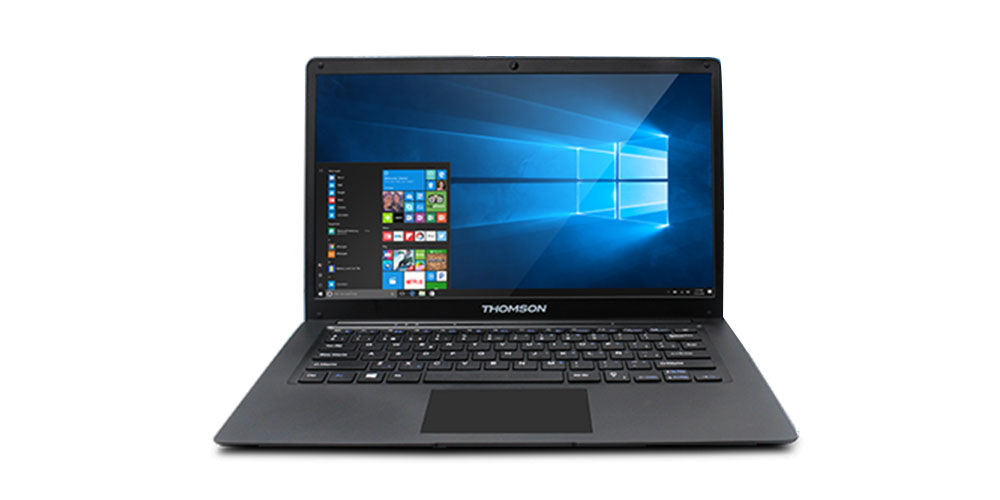
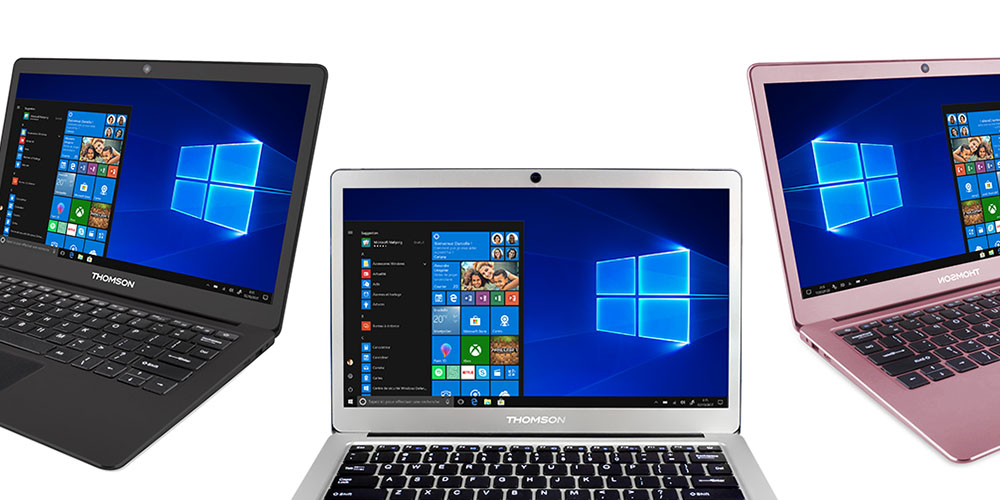
Thomson NEO14C-4BK32F 1.1GHz Intel Celeron 32GB SSD Windows 10 Laptop – $199.99 (Originally $249.99)

At less than an inch thick and weighing under 3 pounds, this laptop is the epitome of ultra-thin tech. It’s also sporting an Intel Celeron processor, 4GB of RAM, Windows 10 and up to 8 hours of battery life.

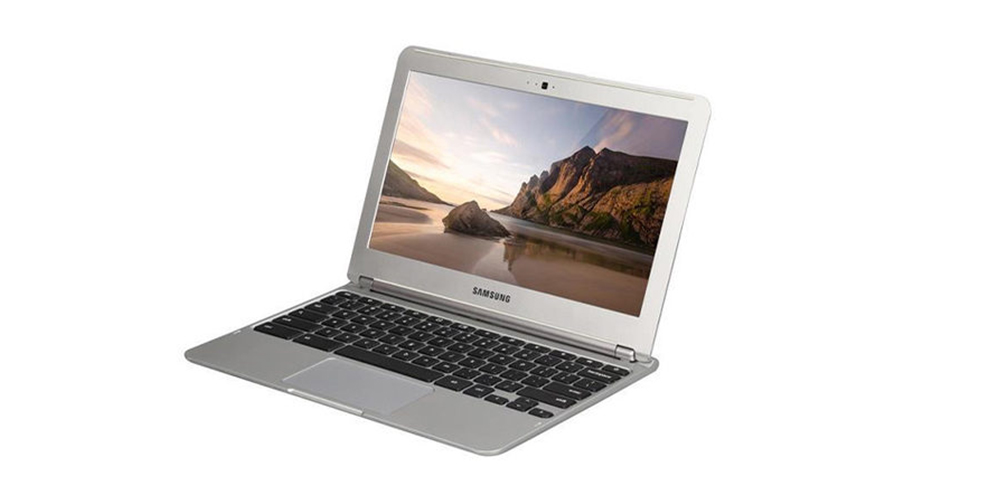
Samsung Chromebook 11.6″ 16GB (Refurbished) – $99.99 (Originally $599)

Refurbished tech is a great way to get a premium item at a rock bottom price. This Samsung Chromebook with a Samsung Exynos 5 Dual-Core 1.7GHz CPU handles all your web surfing, emails, video chatting and more, all at a fraction of this workhorse’s usual price tag.

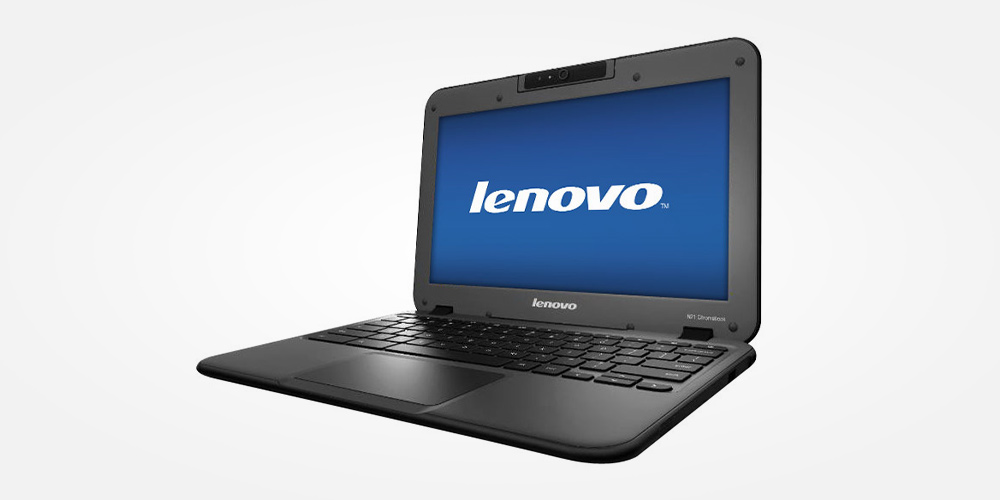
Lenovo N21 11″ Chromebook 2.1GHz, 4GB RAM, 16GB Drive (Refurbished) – $89.99 (Originally $599)

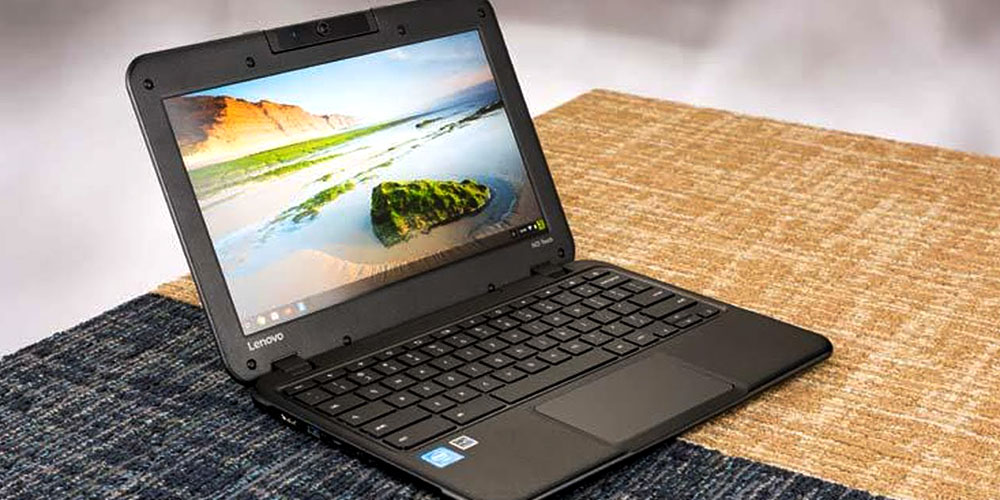
This Chromebook is built for the daily grind. Highly durable with reinforced ports, hinges and corners as well as the ability to boot up in as fast as 3 seconds, this Lenovo boasts a 180-degree rotating camera, so you can capture the full spectrum of still photos and video happening all around you.

Thomson NEO 14 1.1GHz Intel Atom 32GB SSD Windows 10 Laptop – $169 (Originally $199)

The Thomson NEO is one of the lowest-priced laptops on the market, yet it still packs a pretty serious punch for your money. Powered by an Intel ATOM processor with full WiFi and Bluetooth connectivity and a Windows 10 OS, this device is perfect for all of your on-the-go computing while using surprisingly little energy.

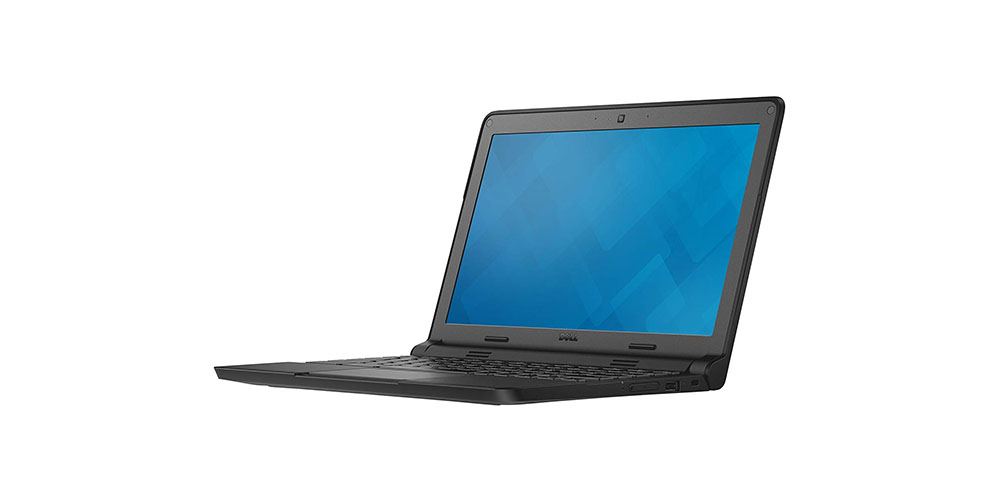
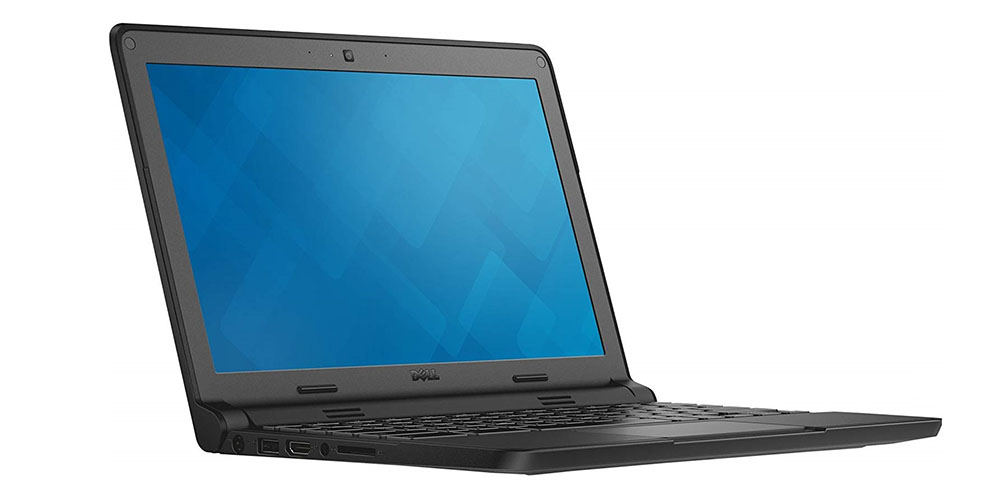
Dell Chromebook 11 11.6″ 16GB – Grey (Certified Refurbished) – $104.99 (Originally $299)

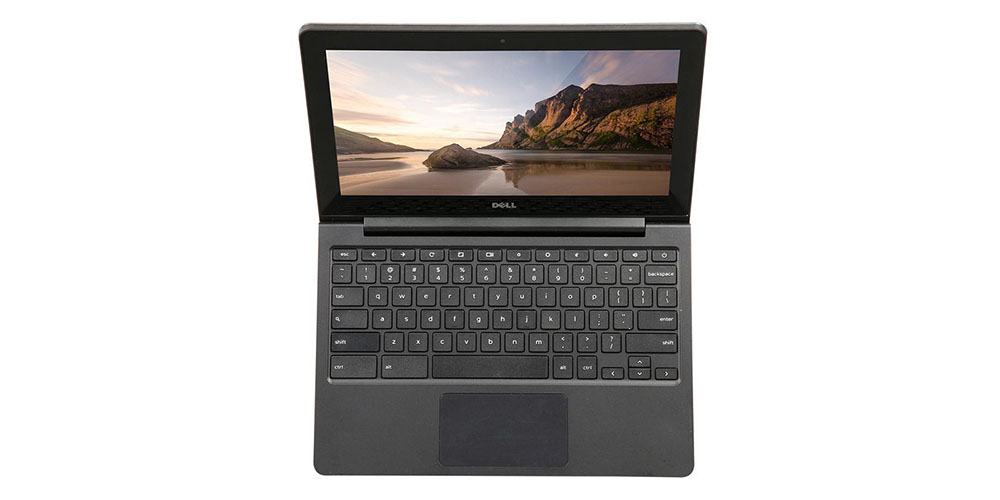
Built to U.S. Military standards and tested for durability, pressure, temperature, humidity, shock, and vibration, this is truly a Chromebook worthy of service. Thankfully, it’s also got a  2.1 GHz Intel Celeron processor and an Intel HD Graphic coprocessor under the hood to load web pages faster and open multiple tabs without lagging.

Lenovo N22 11.6″ Chromebook 16GB – Black (Certified Refurbished) – $99.99 (Originally $249.99)

This Lenovo Chromebook scores high across the board, including a 1.6GHz Intel Celeron N3050 processor, enhanced browsing and streaming capabilities, super-fast load times and even an ultra-durable design with a water-resistant keyboard to avoid any unpleasant accidents. And did we mention it’s also under $100?

Acer Touchscreen 11′ Chromebook 16GB (Certified Refurbished) – $249 (Originally $399)

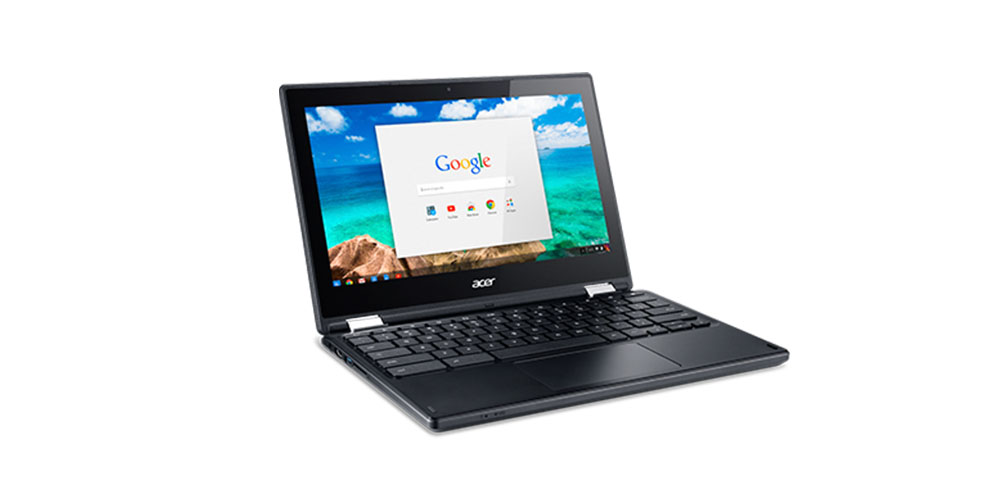
In case you’re skittish about refurbished tech, this one comes with an “A” rating, meaning it’s in near-mint condition and practically good as new. Of course, it’s also got the performance goods as well, with a 1.6 GHz Intel Celeron processor, 4GB of RAM and a super-fast start-up. At $150 off, it’s a solid deal.

Thomson NEO360X 13 Intel Celeron 32GB Windows 10 Touchscreen Laptop – $229.99 (Originally $269.99)

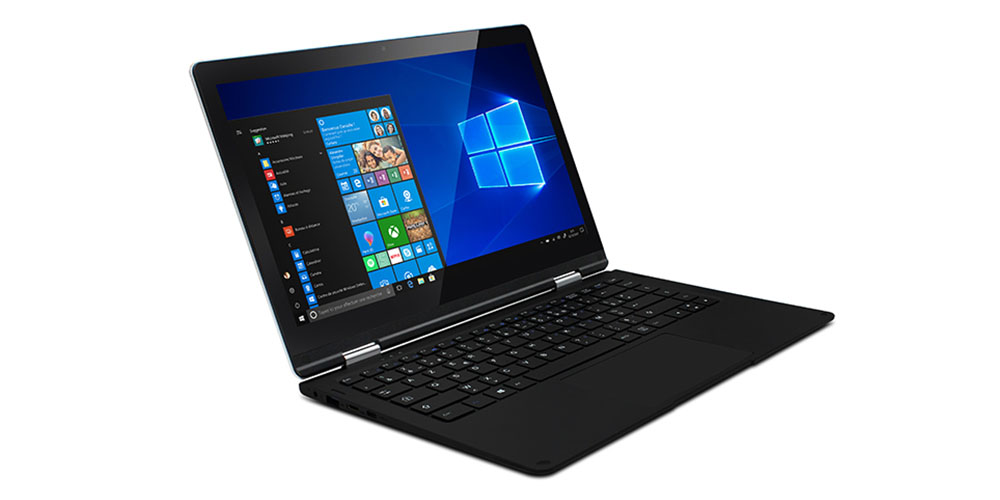
Elegant, slim and lightweight, the Thomson NEO360X is as versatile as they come. With operating modes as a notebook, desktop, tablet or even a tent mode, it’s customizable to your ergonomic requirements. All that plus a 13.3-inch HD touchscreen, to boot.

Dell Chromebook 11 Intel Celeron 2955U 1.40 GHz 16GB – Black (Refurbished) – $99 (Originally $159)

This Dell model checks a lot of boxes, with its Intel Celeron Dual-Core processor and Chrome OS offering high speed, ample security, and the silky smooth performance users demand. It’s also got portability as a key feature, weighing just 3 pounds.

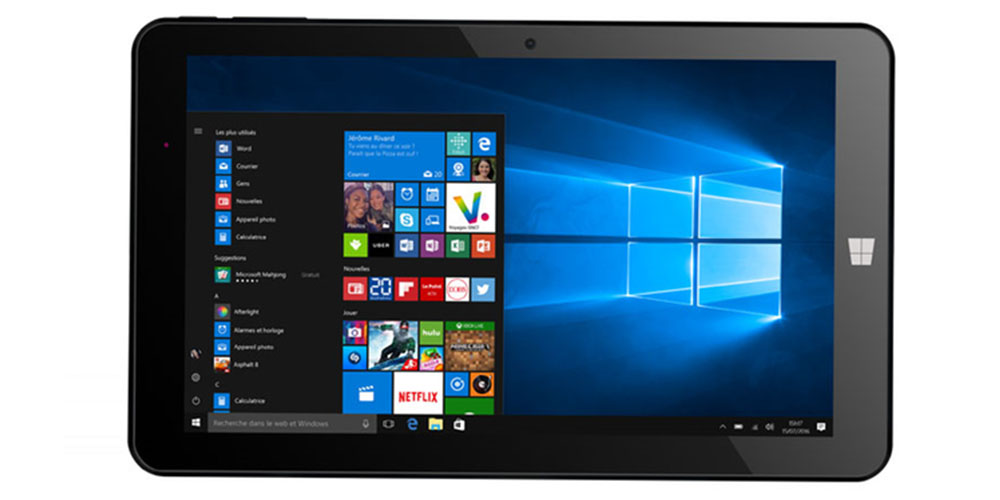
HERO 9 Intel Atom 1 GB RAM 32 GB SSD Windows 10 2-in-1 Tablet – $99.99 (Originally $159)

The HERO 9 has all the versatility of a PC, but the pick-up-and-go capability of a tablet. Running Windows 10 with Mobile Microsoft Office among its pre-installed apps, this model is ready to hit the ground running and instantly connect to the web via WiFi or Bluetooth.

Thomson NEOX 13 1.1GHz Intel Celeron 32GB SSD Windows 10 Laptop – $199.99 (Originally $249.99)

This multipurpose device is comfortable at work or at home, capable of handling typical office use with ease, but also packed with the online social media access, entertainment and more for your leisure hours. It’s also got an HD-quality 1920 x 1080 IPS screen for top-flight clarity, sharper images and vivid colors.

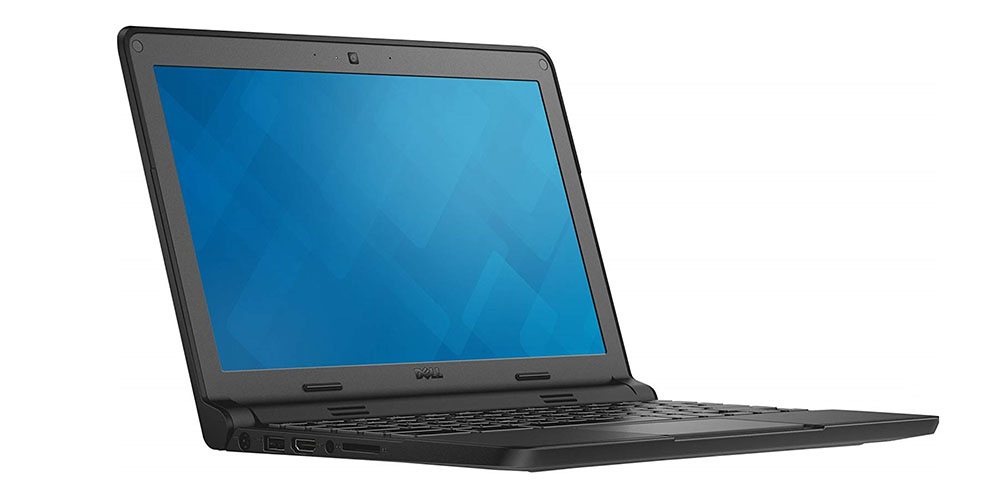
Dell Chromebook 11 11.6″ 16GB – Grey (Certified Refurbished) – $104.99 (Originally $299)

If you’re searching for the perfect Chromebook for a student, you’d be hard-pressed to beat the 2.1 GHz Intel Celeron processor, Intel HD Graphic coprocessor and 11.6″ anti-glare HD LCD display of the Dell Chromebook 11. You not only save over 60% with this “A” rated model, but you also get best-in-class durability that can withstand the punishment of a typical school day.

Dell Chromebook 11-3120 2.16GHz Intel Celeron 16GB SSD – Black (Refurbished) – $84.99 (Originally $249.99)

Fueled by a 2.16 GHz Intel N2840 processor and 4GB of RAM, this Dell gives you the speed for easy multitasking with a host of different apps. It boots up in less than 10 seconds, loads web pages with the Chrome OS and Chrome browser for better productivity and sports a 10-hour battery life so you’ll never be short on power.

Dell 5190 Touchscreen Chromebook Intel Celeron N3450 32GB (Refurbished) – $199.99

This touchscreen Chromebook is designed to be kid-proof, which means it can handle spills of up to 12 ounces and drops from as high as 30 inches on to steel. In addition to the rugged design, it has a long-lasting 10-hour battery (since kids always forget to power up) and a fast Intel Celeron N3350 processor to handle all the cross-functionality young users need.

Note: Terms and conditions apply. See the relevant retail sites for more information. For more great deals, go to our partners at TechBargains.com.

Now read: